Blog Post 9: Distributive Cognition

Applying technology in a classroom consists of understanding what is needed for your students as the teacher and understanding how to enhance each topic with the use of technology. According to a reading that was done in class, “distributive cognition can be defined as a way to understand how people interact with their environment and how they can be enabled by the environment to undertake highly complex tasks that would usually be beyond the abilities of the unassisted individual” (Morgan 127). Distributed cognition can be used in each and every classroom to allow the use of external resources that are available for the students to expand their learning. For myself, distributed cognition is the engagement of the students with the use of tools that teachers can apply to allow students to experience great learning. 

Since I am working towards graduating with a degree in Early Childhood Education, I decided to watch Mrs. Zurawic who is a pre-kindergarten teacher from Ravenswood Elementary School. She wanted to expand her students learning about topics that were not in the curriculum. To do so, Mrs. Zurawic implemented morning research groups. Through her lesson, technology was recently introduced in small groups. 

After observing a lesson in early childhood classroom, the teacher was able to incorporate many different types of technologies in her lesson. To begin, she noticed that her students were interested in learning about topics that were not in their curriculum. Mrs. Zurawic wanted to tap into those interests of her students, so she made the change to come up with an idea to have small research groups presented in the morning. For example, topics for this week included learning about cats, dogs, and alligators. To break up the research on these topics Mrs. Zurawic has her students work on Tuesdays, Wednesdays, and Thursdays in small groups and on Fridays they go “public.” To go public is when the class shares with one another what they have learned throughout the week. To add to this new idea and expand on student learning the teacher decided to bring in videotaping and the  Ipads to take pictures and make that images into a story. For example, having different pictures of what a cat tale may look like, this shows how the cat is feeling. This element helps the students to take what they learned in the class and apply it to things at home, in school, and outside to make connections between classroom learning and the outside world. 

These technologies that she integrated into her lesson plan consisted of small groups using books, pencil and paper, and iPads for the students. With the books, students would have a certain research group that they were a part of and research about different facts that they would share out with the entire class on Friday’s. To expand on finding information and writing it down, Mrs. Zurawic decided that as the teacher students could benefit using the iPads to take pictures or even out a digital story together about their animals. Mrs. Zurawic would work with each group of students and show them some type of example about their animal. For example, she showed the cat research group how students can tell the cat’s mood, simply based on how their tail looks. Mrs. Zurawic is there to provide immediate feedback for the student’s. This is an aspect that Martin talked about called monitoring. Monitoring refers to the function of assessing the quality of the coordination between systems and providing this information as feedback. Since students in this class are just getting used to technology in their education, the teacher is there to monitor and provide feedback for the options that are given to the students. 

In the article Intelligence and Technology, it talked about the effects of, with and through technology. In this lesson there are effects of and effects with technology that were present in this lesson. According to Salomon, “effects of technology is how using a technology may leave cognitive residues that enhance performance even without technology” (Salomon 72). The  effects of technology that were present in this lesson offers the teacher to scaffold what her students are learning. For example, in this lesson Mrs. Zurawic wanted to take a topic that her students were interested in (cats, dogs, and alligators), and expand the students’ knowledge. To reach this goal, Mrs. Zurawic split  up her students in different research groups based on their preferences. From there she mapped out days of the week that allowed her students to look up information in books or magazines about their animals. She noticed that her students were doing so well with this and she wanted to expand their learning with the use of technology and begin introducing the Ipads. Mrs. Zurawic stated that the use of Ipads allowed her students to have a variety of techniques available for research and to move her students toward a stronger understanding on the different types of animals in their research groups that they would be sharing with each other by the end of the week. 

While the effects with technology, is how the use of technology often enhances intellectual performance. These provide the teacher and her students with many different affordances. With technologies like a  pencil, a book, or an Ipad, students are able to use these resources to apply what they already know with what they are trying to find out. Some may think that technologies are just devices like computers or Ipads. However, a book can be just as useful as the digital technologies that exist in the classrooms today.  In our current lives we use books for research and using Ipads because there is so much information out there. Research means that you look at so many different sources, this in turn assists the students to make the connection that there are multiple ways to find one answer. This offers the students the beginning stages of how and why they found their answers. With technology students are able to gain the knowledge of finding the correct information, whether that comes from a book, on a computer or a combination of the two.   

The next topic that is important to talk about is the idea of translation and representation of ideas. The function of translation refers to the transformation of information from one representational system to another. Or as I define it as, choosing the right ideas one way and then another way. In the lesson plan that I observed, Mrs. Zurawic took one type of information, the books on animals and used  another type, iPads with pictures of cats which show the students that each method is equally as helpful when using these tools during the lesson. She was able to allow the students to take the iPads and turn their research into a story of even a movie. The iPads act as a learning tool for these young students to begin working with technology. This shows that no matter the platform that was used in the lesson the representation of ideas can be seen in different viewpoints, all reaching the type of information. 

Overall, technology itself is a translation and it helps to represent ideas that Mrs. Zurawic wanted to portray her lesson of research groups. She can translate her ideas of completing research into interactive activities that allow students to apply their knowledge. I think that this lesson and the use of technology within this lesson was integrated to make the students overall smarter. The students although they are just starting out, they are getting a chance to explore new modes of learning. The iPads that were used in this lesson expands each student’s cognitive abilities. Therefore it can be said that working with these technologies smarter and has the potential to lead to a better overall performance. When you are able to see all the affordances of  technologies that are used in the lesson, you are able to understand how technology can be used to make someone smarter and enhance their knowledge.

Blog Post 8: Digital Story Assessment

Digital Story Assessment

Miah Dettorre, Abigail Ruse, and Lauren Denk

Story (______/15 points)

The development of the story makes sense and is in chronological order in terms of the story itself. More specifically, there is a set beginning, middle, and end that carries the audience through the entire story. The problem or situation drives the story itself. The content of place value is articulated clearly and creatively through its structure, engagement, and character transformation.

Project Planning (_______/20 points)

The students in the learning community submit as a group a storyboard and script to show progression and evidence of solid planning. From there, they will receive comments in order to revise and improve their work. Throughout this entire process, the group members work together to evenly distribute the work and collaboratively create a digital story.

Originality, voice, creativity (_______/15 points)

The content of the digital story exhibits an original voice-over narration and a perspective that is imaginative and fruitful. The voice connects with the images or videos that are presented in the digital story to further enhance the message that is being portrayed. For this to adequately happen, students articulate their words clearly and concisely. If any words, phrases, pictures or sounds are not original from the group themselves, they must be properly cited at the end of the presentation.  

Content Understanding (______/30 points)

The presentation and its story are created to convey an understanding of the material addressed. The material being the concept of place value and how to properly shift between place value positions. In result, the audience gains further understanding of the ones, tens, and hundreds position and how many each place value holds. The story accurately presents place value terminology and how to properly shift the position of the digit in a number series. This aligns with the first Number and Operations in Base Ten standard for second grade (2.NBT.1). More specifically, this standard reads that students should understand that the three digits of a three-digit number represents amounts of hundreds, tens, and ones. The audience understands the following as special cases: a. 100 can be thought of as a bundle of ten tens – called a “hundred,” b. The numbers 100, 200, 300, 400, 500, 600, 700, 800, 900 refer to one, two, three, four, five, six, seven, eight, or nine hundreds (and 0 tens and 0 ones). The digital story builds upon this standard and provides students with an application of the concept that has already been taught to them in school.

Presentation (_______/20 points)

The presentation of the digital story is posted on the YouTube website and onto each member’s blog page effectively, making it readily available to all. The digital story is appealing to the eye and to the ear, but at the same time, educational.  The audience is engaged and interested throughout the story itself and the presentation. This can be done through the use of purposeful drawings/pictures, sounds, effects, and transitions. All of these aspects of the digital story are clear, meaningful, and displayed in a manner that does not pull from the actual content itself, and as a result, distract the audience.

Additional Comments:

Field Observation II

After talking with my cooperating teacher, I learned that at my placement they have a curriculum and instruction specialist. They we also have a testing coordinator, but they do not have one person in the building as a tech specialist. They have two people that they are able to go to for trouble shooting with technology, however, they do not specifically have one person that has that title. When they have any technology issues that included computers, SMART board and iPads, they have to go to headquarters. The teacher will put in a ticket online and somebody comes out to handle the issue. Sometimes you will see a person in the building multiple days in one week because they are in charge of grades Pre-K through eight. They have a library media specialist and right now theirs is part time. Most of the Cleveland schools have a part time library media specialist who goes back-and-forth from one school to another. The curriculum instruction specialist is definitely the go to person that will expect the teachers to integrate certain sites for the students and he sets up for them on Moby Max, refers us to skills navigator on the NWEA website, and when we have professional development for math using Eureka, he will turn to Engage New York or ANet for PD for the teachers. 

In my placement, the school has a cart of 40 iPads that the k-3 grades share. Each grade is only able to take 10 iPads to on a daily basis. This only allows for a few students to have an iPad at one time. The whole class is never all working on iPads at once, instead many times the iPads are only implemented during center time. The teacher is required to use the iPads weekly during their rotations. The classroom is also equipped with 6 computers that the students are able to use. Maintenance on the computers is done once a year. There is also not an entire class set of computers, this means only a few students are working on the computer or with and iPad at any given time. In this school it took forever to get iPads because of having to complete upgrades and money that was not in the budget for those upgrades at the time. They have only had their iPads for about a month when they were supposed to get them in September. Now that they have the iPads teacher are still working on how/when to use them in the classroom. The teachers use the iPads for different learning apps like Moby Max, Anet, and Eureka. 

Anytime the school has new things happening such as a resource from an online site or a new piece of technology, the principal or curriculums and instructional specialist or testing coordinator, get acclimated to it first and then they show the teachers how to use the resource. Otherwise there are times when someone from the company itself will actually come out and give us a PD. At this school, there are limited technologies that are available as I mentioned above there is not a class set of iPads, each class only has a few to work with each day. However, the class is also equipped with some computers. Computers are mainly used during center time as well because there are not enough computer and iPads for the entire class to use at one time. Teachers gain access through the school, and students gain access through a username and password that is provided by the teacher. From what I have observed there is not a means for reserving the iPads since each grade is only given a few to work with. At my placement parents are just responsible for signing a form that says that their child is allowed to use it and they understand the nature of what they are using as well as understand that there are rules for using the technology that students are expected to abide by. Overall, there is not a requirement for families to purchase the technologies that are provided by the school. 

From what I have learned through my cooperating teacher, headquarters is really in charge of how the school and teachers block things. They do a very good job of it. As a matter of fact, the teachers also have to change their passwords on their computers every 60 days. Once 60 days hits, the teachers have to change it because they cannot even use the other one that they were using for the previous 60 days. 

I was able to find this information through my cooperating teacher who teaches third grade in an elementary school building. My teacher was able to direct me to the people with the most information. My teacher had the best information to give since she works with not only the specialist and her principal but also she is able to experiment with the different technologies in her classroom and provide the people in charge with valuable information regarding the app, website, or program that she used. 

Blog Post 6: Digital Story Script/Voice-Over Narration

Storyboard: Spring Break Shifters

Characters:

Quarantina: young second grader who just got off of school for spring break, she cannot wait to spend time with her mother and relatives.

Mother: Quaratina’s mother who moves to various place value hotels with Quarantina and their relatives

Covid: the hotel owner who manages the rooms in all of the hotels and the check in process. He makes sure that each place value hotel only fits its capacity. 

Other hotel guests: in the background, staying at the hotels that Quarantina, her mother and relatives would like to stay at in Florida

Quarantina’s 8 relatives: travel with Quarantina and her mother, and make a total group of 10 guests.

Script:

One day, Quarantina and her mother decided to go Florida because all of their 8 relatives were planning to go as well. They were all planning on staying in a hotel.

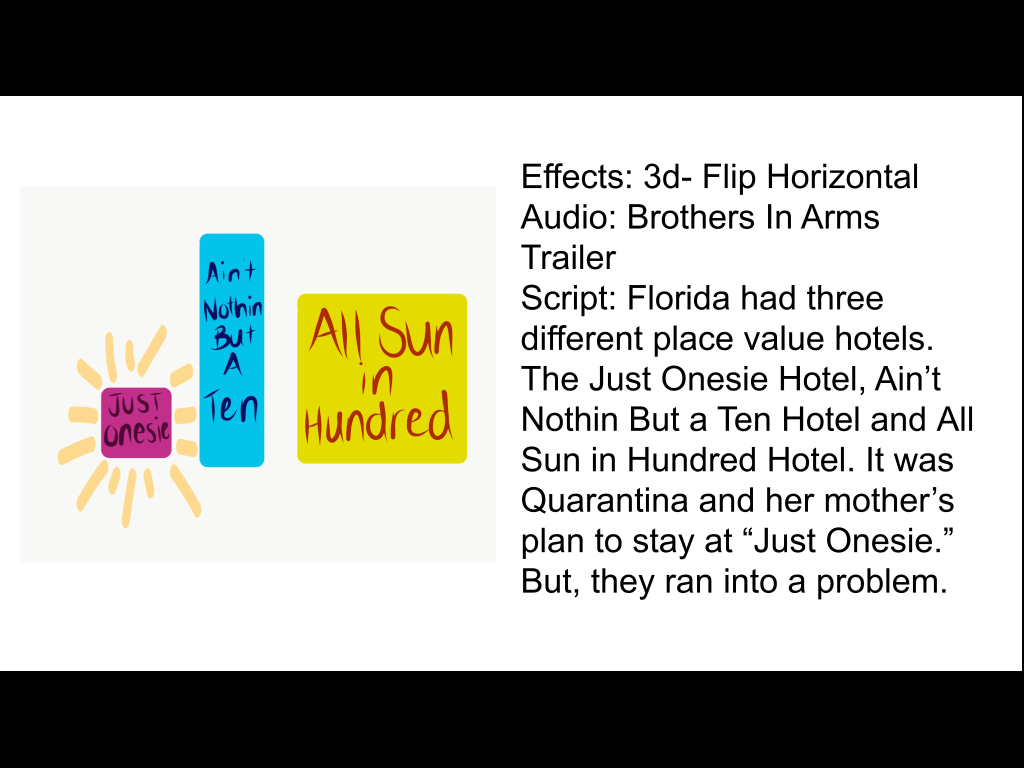
Florida had three different place value hotels. The Just Onesie Hotel, Ain’t Nothin But a Ten Hotel and All Sun in Hundred Hotel. It was Quarantina and her mother’s plan to stay at “Just Onesie.” But, they ran into a problem.

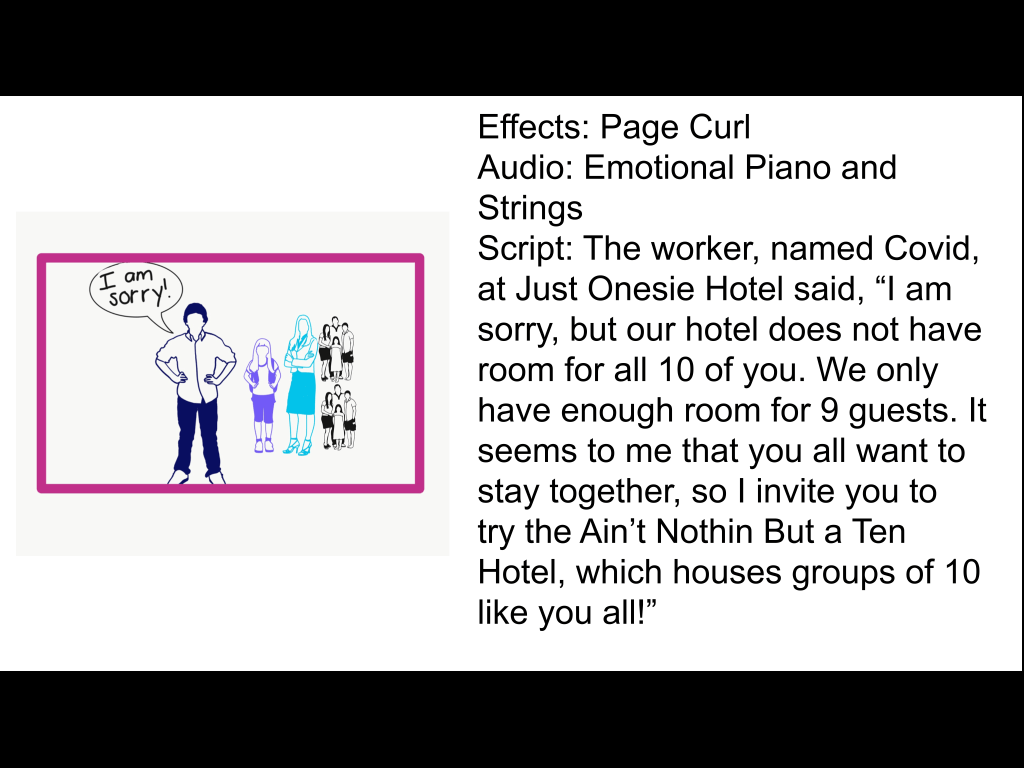
The worker, named Covid, at Just Onesie Hotel said, “I am sorry, but our hotel does not have room for all 10 of you. We only have enough room for 9 guests. It seems to me that you all want to stay together, so I invite you to try the Ain’t Nothin But a Ten Hotel, which houses groups of 10 like you all!”

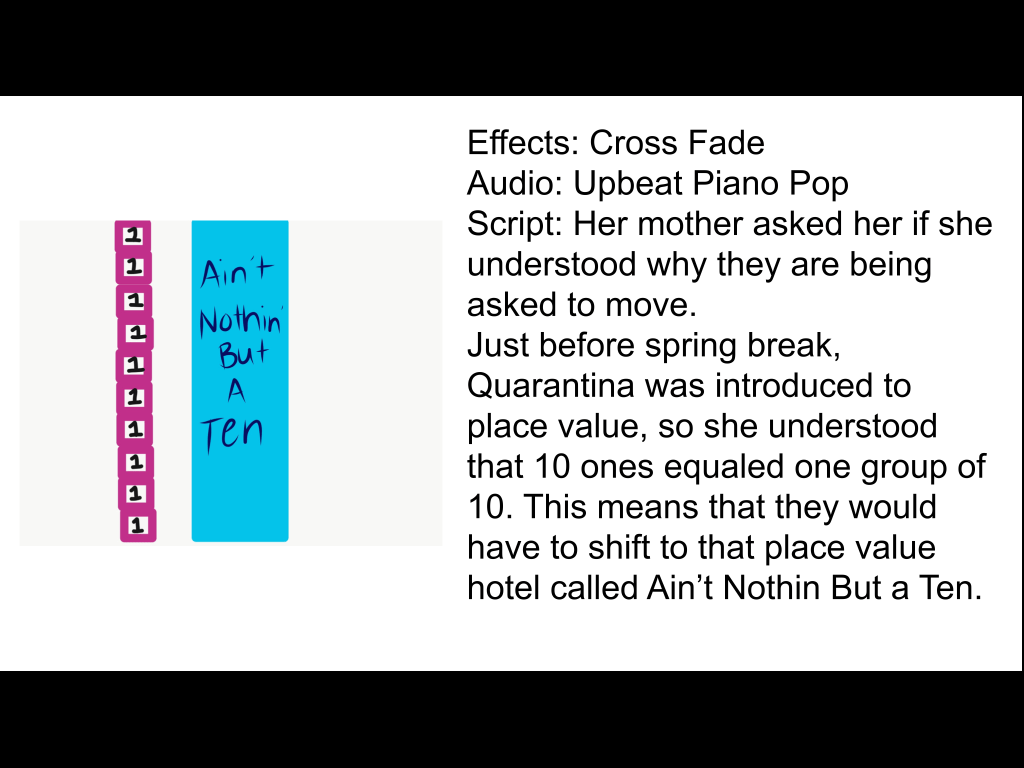
Her mother asked her if she understood why they are being asked to move. 

Just before spring break, Quarantina was introduced to place value, so she understood that 10 ones equaled one group of 10. This means that they would have to shift to that place value hotel called Ain’t Nothin But a Ten.

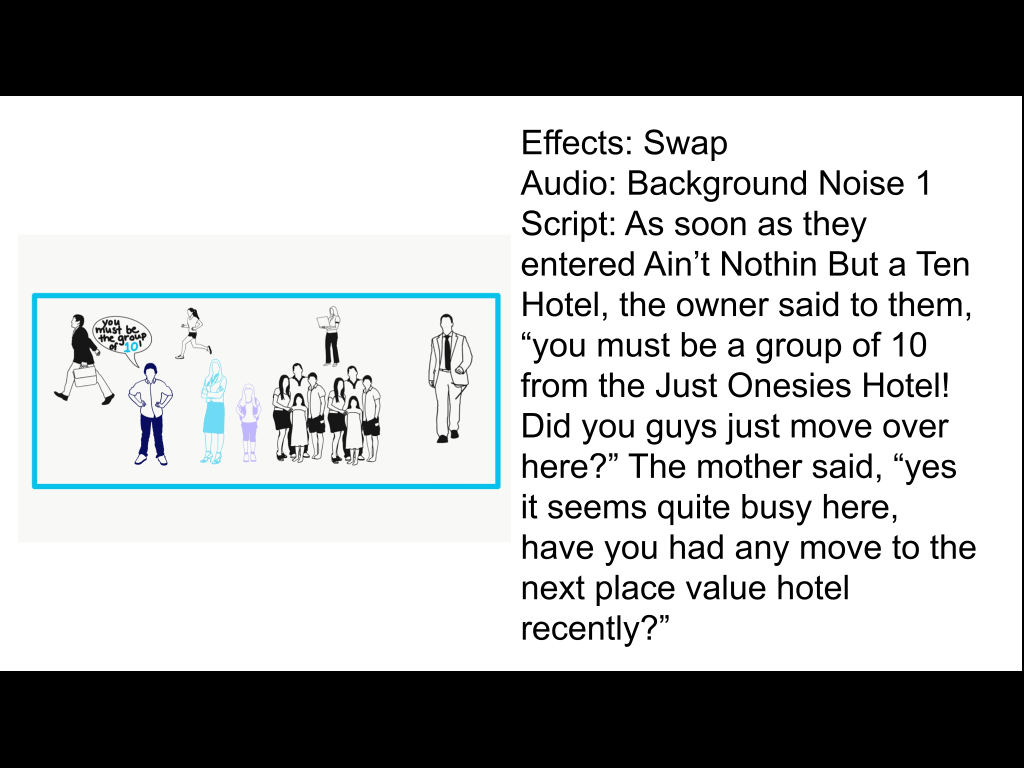
As soon as they entered Ain’t Nothin But a Ten Hotel, the owner said to them, “you must be a group of 10 from the Just Onesies Hotel! Did you guys just move over here?” The mother said, “yes it seems quite busy here, have you had any move to the next place value hotel recently?”

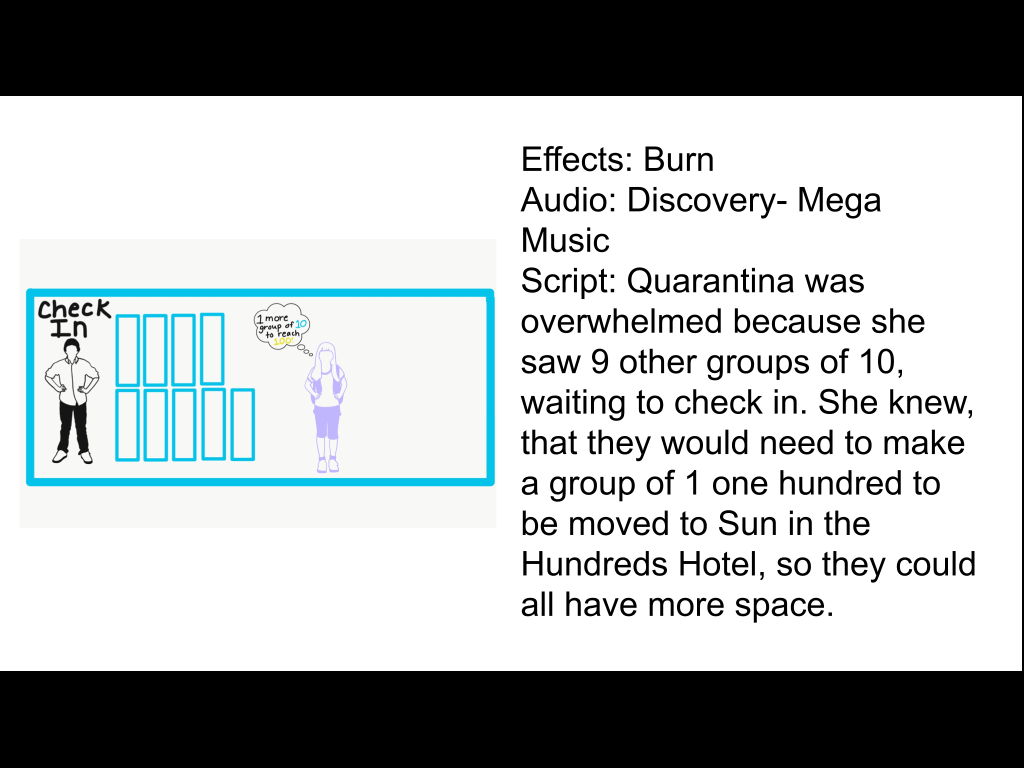
Quarantina was overwhelmed because she saw 9 other groups of 10, waiting to check in. She knew, that they would need to make a group of 1 one hundred to be moved to Sun in the Hundreds Hotel, so they could all have more space.

This hotel for groups of hundreds was much larger and more accommodating for large groups. The one group of 100 that they all made together fit perfectly in the hotel. Quarantina could not wait to start her vacation, which she hoped included lots of swimming in the large Sun in the Hundreds pool. Happy Spring Break! 

Reflection on students

The third-graders at Hannah Gibbons Elementary interact with each other and with their cooperating teacher based on the mood that they are in for the day. Some days the students are excited and ready to work, willing to work together on the assignment. However, this classroom lacks respect for their teacher and their classmates. Many times when one student is upset that will set off another student and then it ends in a chain reaction of yelling, name calling, and students being sent out of the classroom. I have noticed however, these students accomplish more and are able to gain the knowledge better when they are in small group learning. Whether they are working together or at the table with the teacher, these students love having the support.  The teacher has set up a designated schedule on who works together during small group work. For the most part, students are able to collaborate and work together to work on the task at hand. 

Our teacher incorporates many different types of digital technology that the students use on a daily basis during class. Our teacher incorporate iPads during center time where the students use apps like Seesaw and eSpark. Seesaw is a classroom app for meaningfully engaging students in their learning. Student are able to build in annotation tools to capture what they know in Seesaw’s digital portfolio. This app also allows the teacher to deeply understand student thinking and progress to enable them to teach better. Seesaw’s tools are intuitive, open-ended, and meet students where they are, so students at all levels have more options to show what they know. When students can demonstrate their learning in ways that work best for them they thrive. eSpark Learning is also an app that allows for student to engaging in ways to meet the students unique learning needs. This app automatically differentiates for the students based on their current needs, giving them targeted instruction in reading and math. There is also diverse third-party games, video, and resources to spark love of learning. eSpark also is helpful for your students for practicing new skills. Within the app it is adaptive, self-paced for your students will master standards. During this time student are receiving immediate feedback, and synthesize their learning along the way. 

After asking about their uses of digital and social media outside the school a student told me that he uses his ps4 to play games with his friends and siblings. He also uses his phone to text his friends. He also has an iPad that he shares with his siblings that they play games on, watches YouTube and plays on other apps that he has downloaded. 

Conclusion of the Video Game Exploration

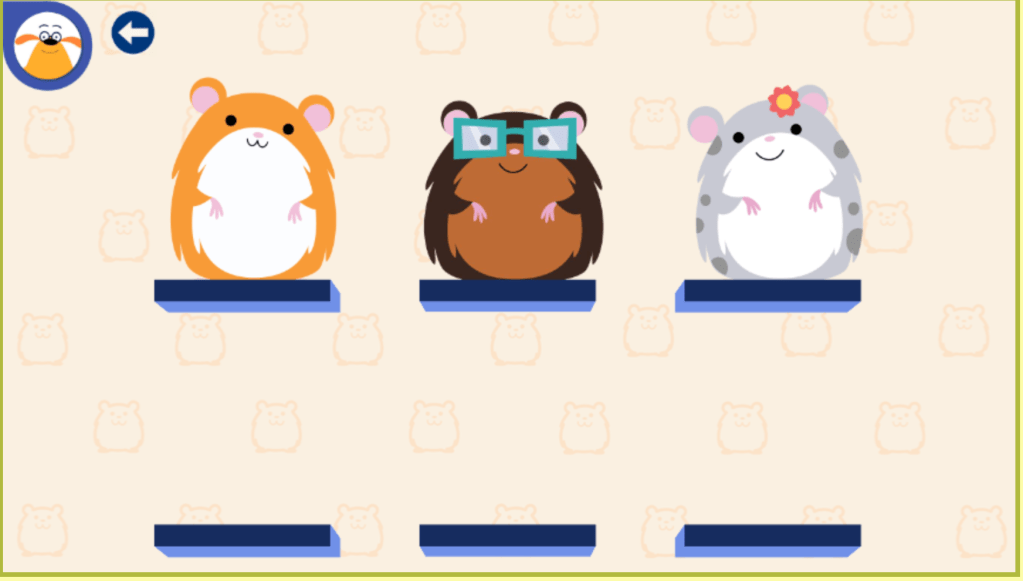
After completing all the levels on my game, I was able to learn about how each student gets the chance to tap into their creativity to build a maze for the hamster to reach the carrot. Once you have completed all the levels you unlock all six of the hamsters and can move onto creating your own mazes with all the shapes and extra fruit that you have collected on the way. This game can be incorporate it in their daily classroom through its interactive levels. Parents and educators can take the time to focus their attention on the benefits of electronics and video games to help children develop tools that will assist them in learning.

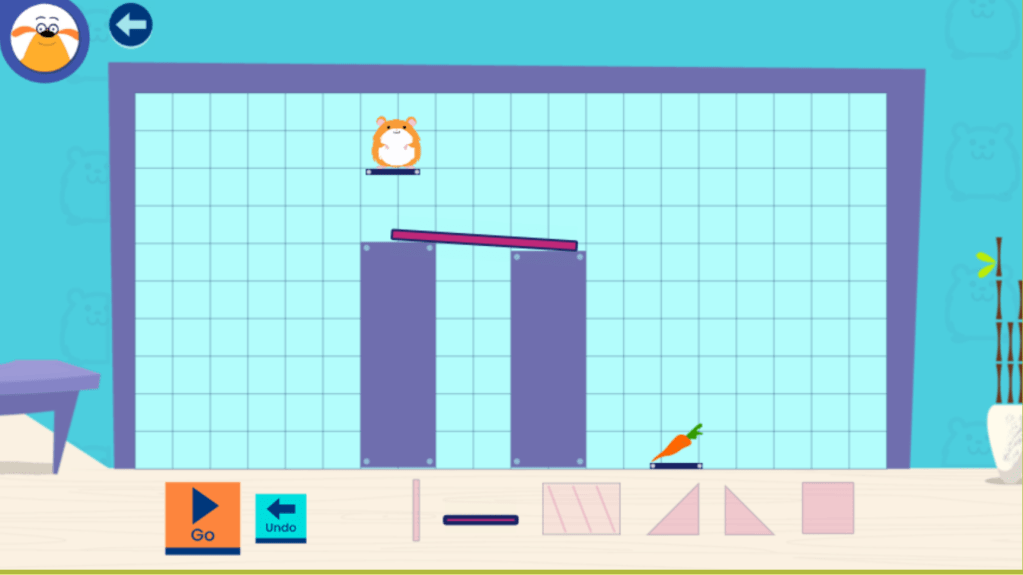
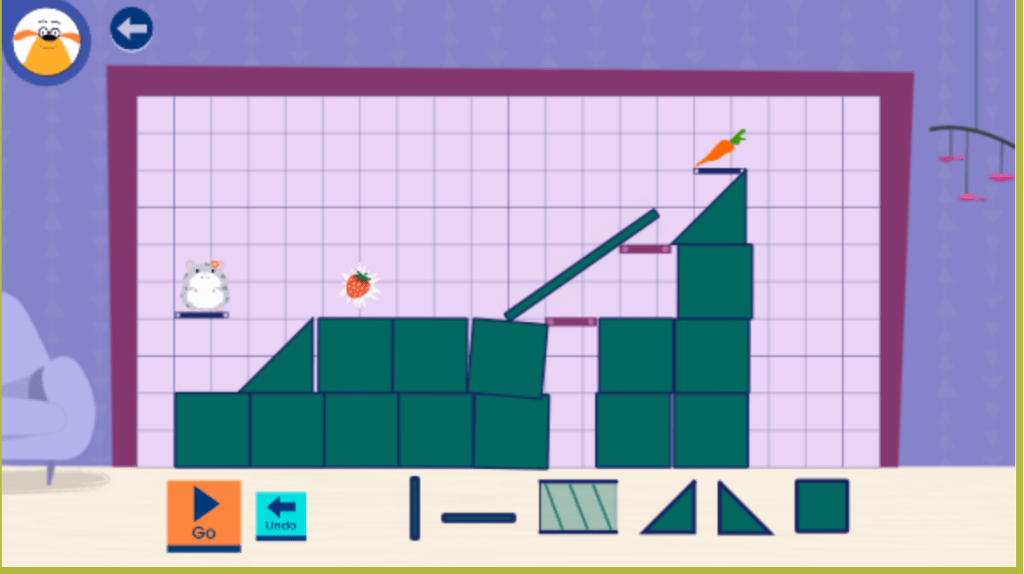
As I played The Hamster Run game, I was able to understand how I could begin to use this in my future classroom. One initial thing that I thought was helpful about this game was how well it could benefit the younger grades like K-2, just as much as the older grades like 3-5. A strand that I could assess the student on while working with on this game could be their way to demonstrate the ability to follow simple design process: identify possible solutions and share and evaluate solutions with others (K-2.DT.2.b). This can be shown through the game when the students are using their problem-solving skills to come up with different solutions on how to get the hamster to reach the carrot on every level. For example, students need to think about what shapes would work best to use together to reach the carrot without the hamster falling or getting stuck on the course.

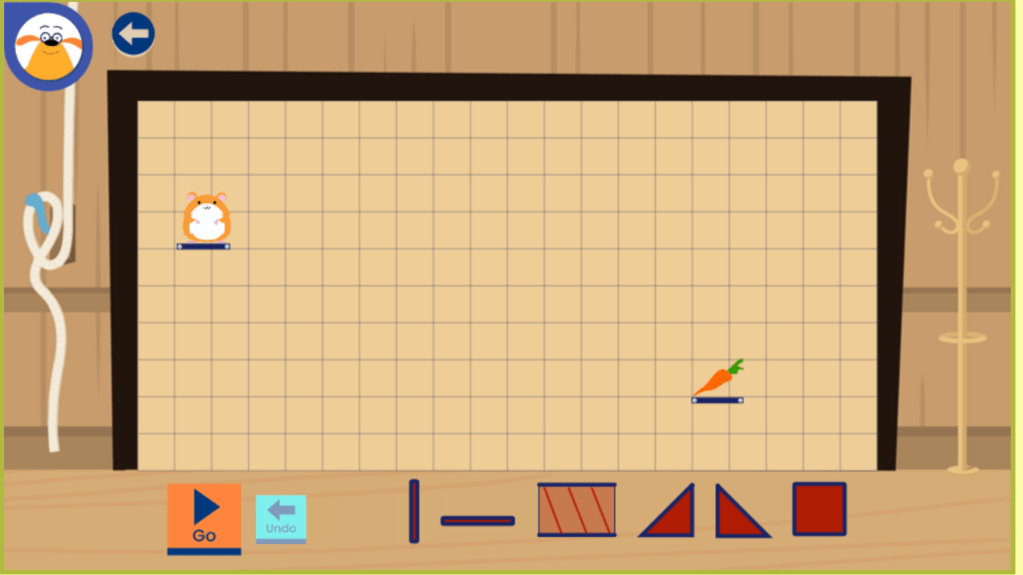
Once the students place the shapes where they should go in order for the hamster reach the carrot, the students presses “go” and the hamster will run the path that the students made for it.

This game is appropriate for the grade levels because the students are able to learn about different shapes. Each shape, cylinders, cubes, triangles, and rectangles could all be used in a K-2 lesson plan. Students could work with the different shapes to come up with what is similar and what is different about each shape. This game could always be used in a third-fifth grade lesson plans. For the older students the teacher could have the students design a possible solution for a level. Then they could work with a partner to compare and discuss their solutions. As a bonus or even a challenge the students or even the teacher could use the create mode to have the students solve a certain run.

To conclude this game is developmentally appropriate for different grades and ages. It can be implemented in the classroom to be used for all type of learners. Each learner gets a chance tap into their creativity to solve the maze. No matter the level of the student each student are able to gain educational benefits when they play this game.

In our reading of Mind Shift by Jordan Shapiro, the author said “The best learning games tach in the same way good teachers teach: They don’t trick students into being interested, they help students find genuine excitement in learning a subject” (Shapiro 20). After playing the Ruff Ruffman Show: Hamster Run game, I can conclude that this game does not trick the students into being interested. Instead, it draws on the children’s interests of being able to build, configure and maybe even challenge their classmates, while also addressing different type of educational standards. This game helps the students to find genuine excitement in learning about identifying possible solutions and sharing and evaluating solutions with others

Video Game Exploration #2 Post

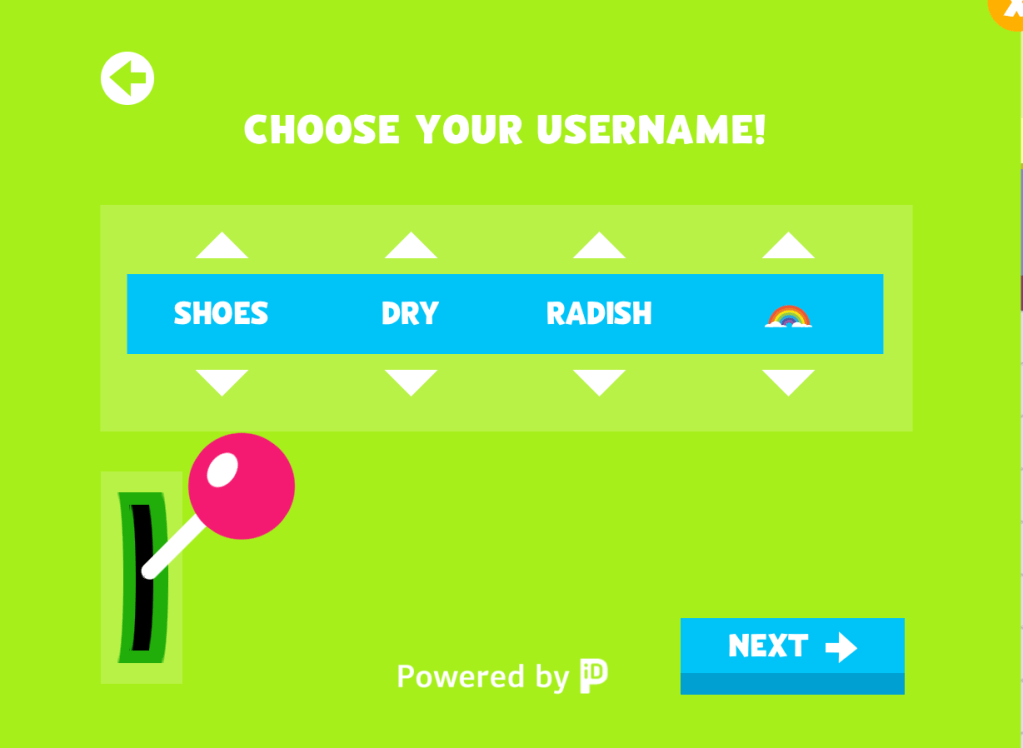
After my initial time playing my video game, I was able to unpack more elements that Hamster Run has to offer to its players. One new aspect that I came across while playing was being able to save the level that you were on so that you do not have to start over each time. Students are able to create a username and passcode through a randomized format in the game. This is a fun twist for the students to be able to see the funny combination of words, in the picture below is the random name and icon that I got. This connects to my last post about how important choice. When students are able to have choice can engage students in deeper, richer learning, and they often display more on-task behavior. 

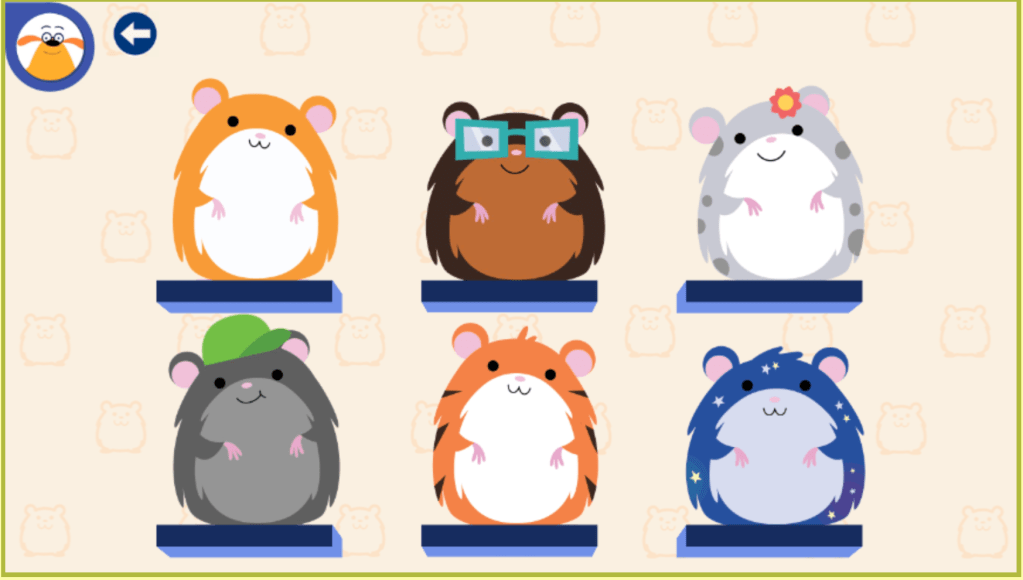
While playing, I was able to level up and unlock the new “puzzle” to create to get the hamster to the carrot. After leveling up, you are able to collect extra food in the game not just the carrot. Leveling up also gives the player the opportunity to collect new hamsters and the ability to use more shapes to make the course. This game and the skills that it allows students to learn and practice connects with the Ohio Technology Standard K-2.DT.2.b.: Demonstrate the ability to follow a simple design process: identify a problem, think about ways to solve the problem, develop possible solutions, and share and evaluate solutions with others. Picture below are different runs that you have to solve to reach the carrot and the new hamster choices that I was able to gain so far in the game.


As I continue to play this game I am able to connect what I am learning in the game to the different readings that we talked about in class. For example, in the Mind Shift article the author talked about “how one bonus of having students serve as play testers is that this role requires them to articulate what makes the game fun, engaging, and meaningful, helping them develop critical thinking and metacognitive skills. Most importantly, student play testers easily transition into game maters, material keepers, and expert “demoers” who can introduce and explain the game to their fellow classmates” (Shapiro et al 5). This is the main example of what we are doing as a class, finding different games, learning to play them and then telling our classmates about the game.

Another connection that can be made between my game and the readings is the idea of affordances that video games offer the students. An affordance is a feature of the world that will allow for a certain action to be taken, but only if it is matched by an ability in an actor who has the wherewithal to carry out such an action. Affordances are relationships between the world and actors. Each video game is about affordances and how the player must learn to see the game world. In this game some of the affordances include building with different shapes to see what works and what does not. Another affordance is using critical thinking to collect the carrots. Both of these affordances can be carried to real life situations. Every player will learn to see the world of each different game that they play in a different way. In each case you see the world in terms of how it will afford the sorts of embodied actions you need to accomplish you goals.

So far in Hamster Run, I am able to work through each level gaining access to more levels and new hamsters. This games offers new challenges that students are able to work through and complete. It also offers many different affordances that can be connected directly to Ohio standards.